
MICROWAVE, INTRODUCTION COOKTOP
MICROWAVE
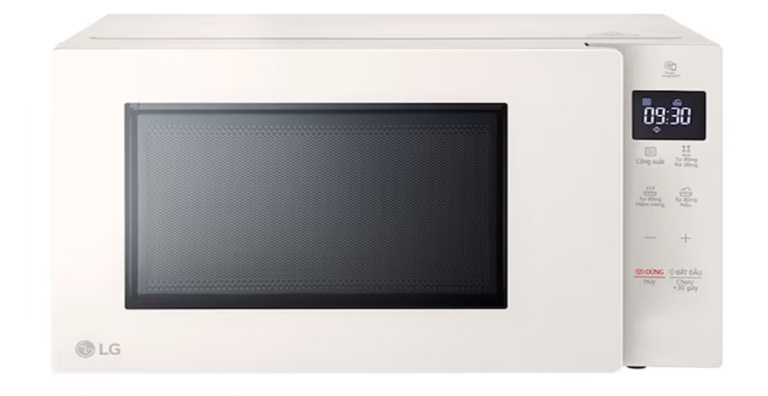
➊
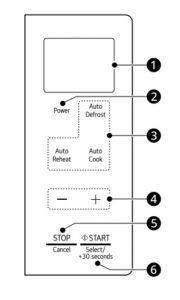
Display. ▶︎ Shows the time of day, cooking time settings, and selected cooking functions.
➋
Power. ▶︎ Set a cooking power level.
➌
Auto Cook Mode. ▶︎ Press the buttons to select preprogrammed cook and defrost settings for popular food items.
➍
More/Less. ▶︎ Set cooking time, power level, quantity, or weight.
➎
STOP/Cancel.▶︎ Stop the oven or clear all entries.(If you press and hold this button for 3 seconds to lock the control panel.)
➏
START/Select. ▶︎ Press this button to start the oven, enter amounts, or cook at 100% cook power for 30 seconds.
▶︎ OPERATING INSTRUCTION
Never operate the appliance when it is empty.
- Press ➎-STOP/Cancel.
- Place the food inside.
- Set the cooking time ➍-More/Less. Press ➏-START/Select. (When cooking is complete, a chime sounds and End appears in the display window. End remains in the display and the chime repeats every minute until the door is opened, or any button is pressed.)
INDUCTION COOKTOP
➊
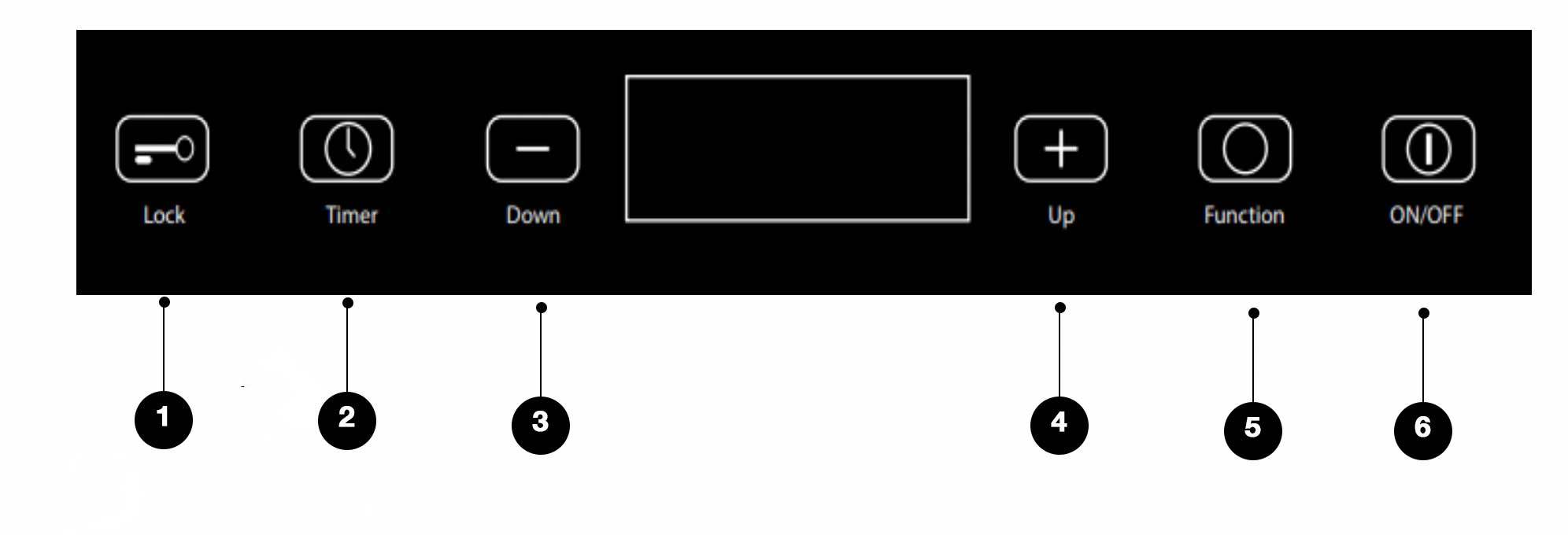
LOCK ▶︎ Indicated The Locked State
➋
TIMER. ▶︎ Cooking Time.
➌
Down ▶︎ Heart Adjustment: Decreases hearting levels.
➍
UP ▶︎ Heart Adjustment: Increases hearting levels.
➎
FUNCTION.
➏
POWER BUTTON.
▶︎ Usage Guidelines
Ensure you use induction-ready cookware for cooking.
(The induction will not activate unless cookware is detected.)
- Position your cookware on the cooking surface within the designated circle.
- Press and hole the (POWER) button for 3 seconds.
- Press the (HEAR ADJUSTMENT UP/DOWN).